
SedonaSchedule SedonaSchedule Processing Transactions Create a Service Ticket
Creating & Scheduling a Service Ticket from SedonaSchedule
Creating a New Service Ticket and Scheduling a Technician Appointment in one process, may be initiated when working in SedonaSchedule. Follow the instructions below.
From the Calendar Options Ribbon Group click on the Wrench icon.
25522
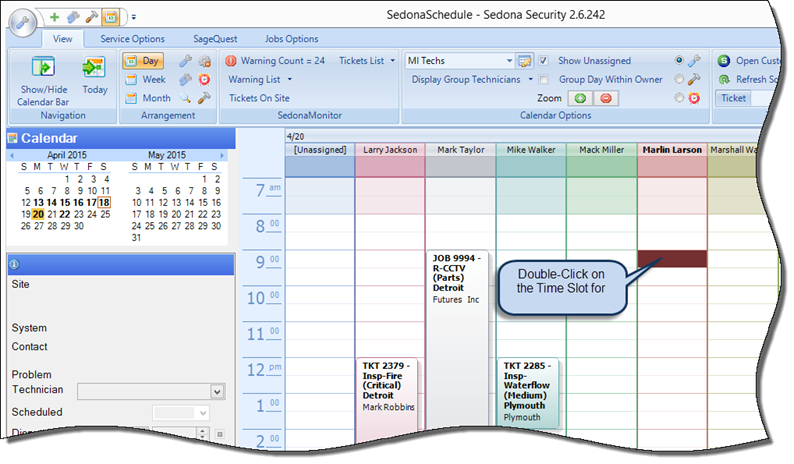
From the Schedule Board click the date on the Calender for when the Appointment will be scheduled. Determine which Technician and Time Slot will be scheduled, then double-click on that time slot.
25522-1
Page 1 of 3 Next Page